
Interactive 3D Tools for Real Estate India
Custom web-based 3D configurators and interactive visualization platforms that engage and convert prospects.
Get Your Interactive 3D Quote
Ready to create engaging interactive experiences? Contact us for a custom quote.
Advanced Interactive Features
Engage your clients with cutting‑edge interactive 3D tools that allow real‑time customization and exploration
Real-Time Customization
Instant material changes, color variations, and layout modifications with live 3D updates.
Cross-Platform Compatibility
Seamless performance across desktop, tablet, and mobile devices with responsive design.
Intuitive User Interface
User-friendly controls and navigation that make complex 3D interactions simple and enjoyable.
Dynamic Content Management
Easy-to-use backend system for updating 3D models, materials, and configuration options.
Social Sharing
Built-in sharing capabilities allowing users to save and share their custom configurations.
Analytics Integration
Comprehensive analytics tracking user interactions and popular configuration choices.
Interactive 3D Portfolio
Innovative interactive 3D tools that transform how clients experience and customize properties
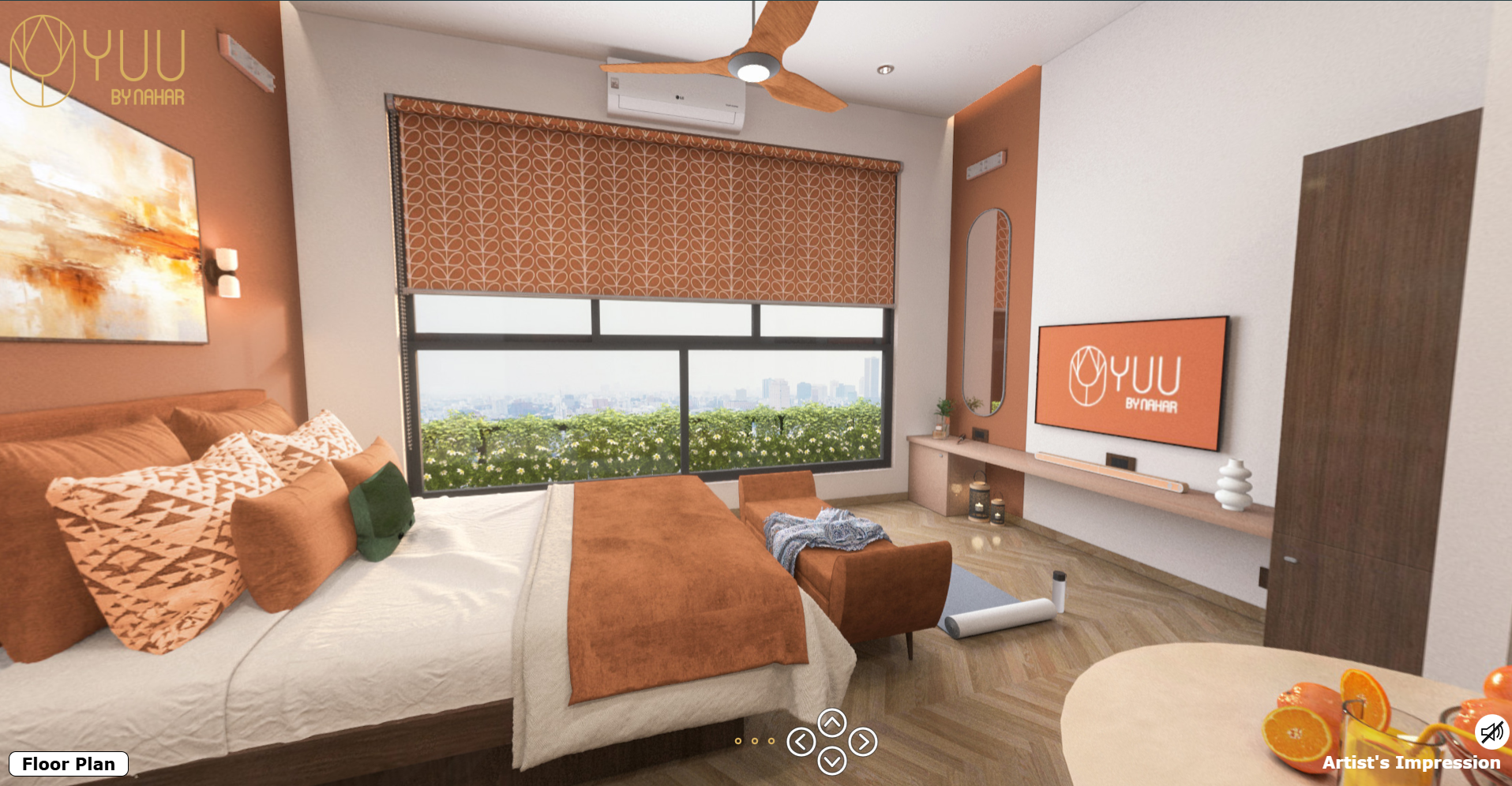
Yuu by Nahar, Mumbai
Interactive residential apartment configurator allowing buyers to customize layouts, finishes, and amenities in real-time for premium Mumbai living.
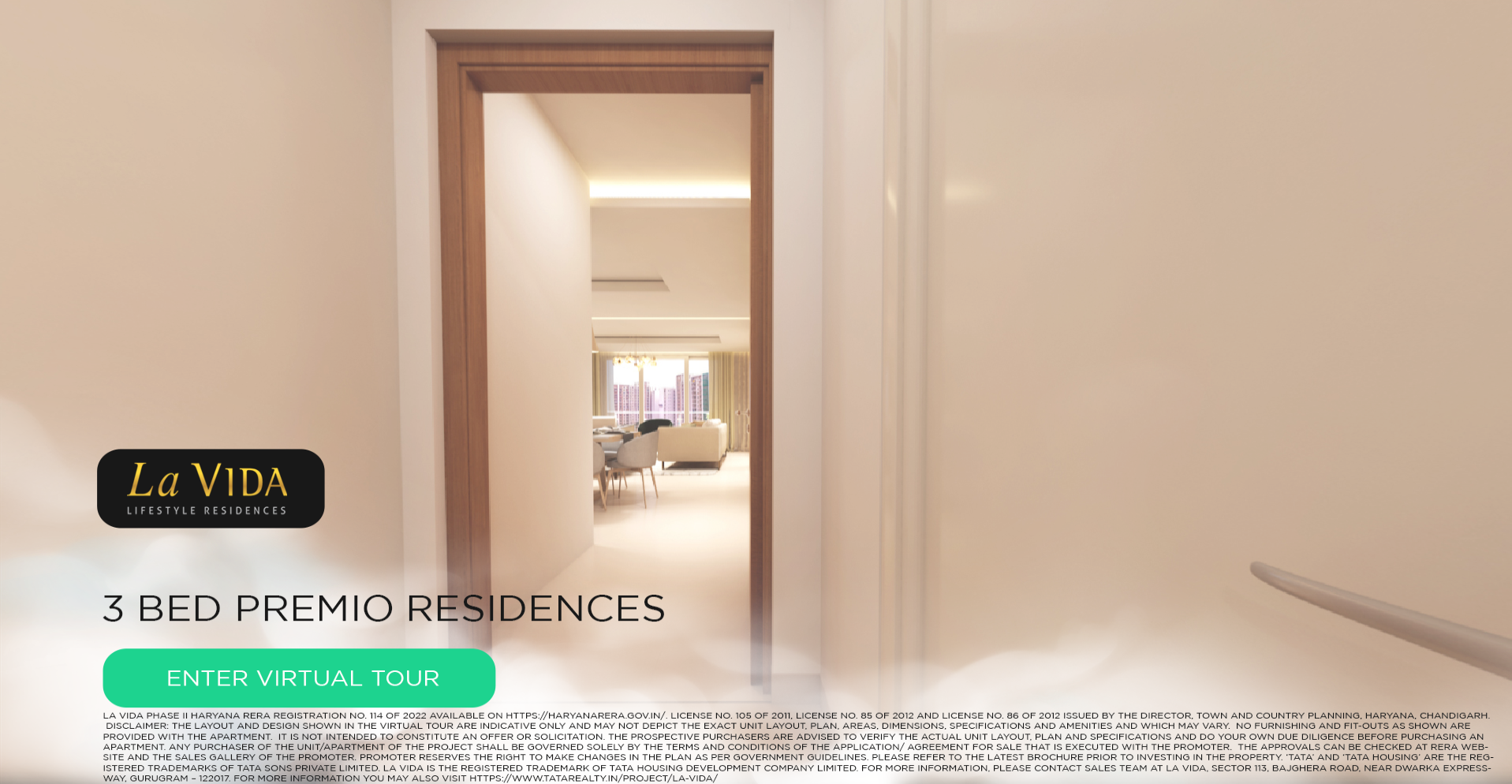
Tata La Vida, Gurugram
An immersive 3D interactive virtual tour designed for a 3BHK residential project, allowing users to explore the space with ease and clarity.
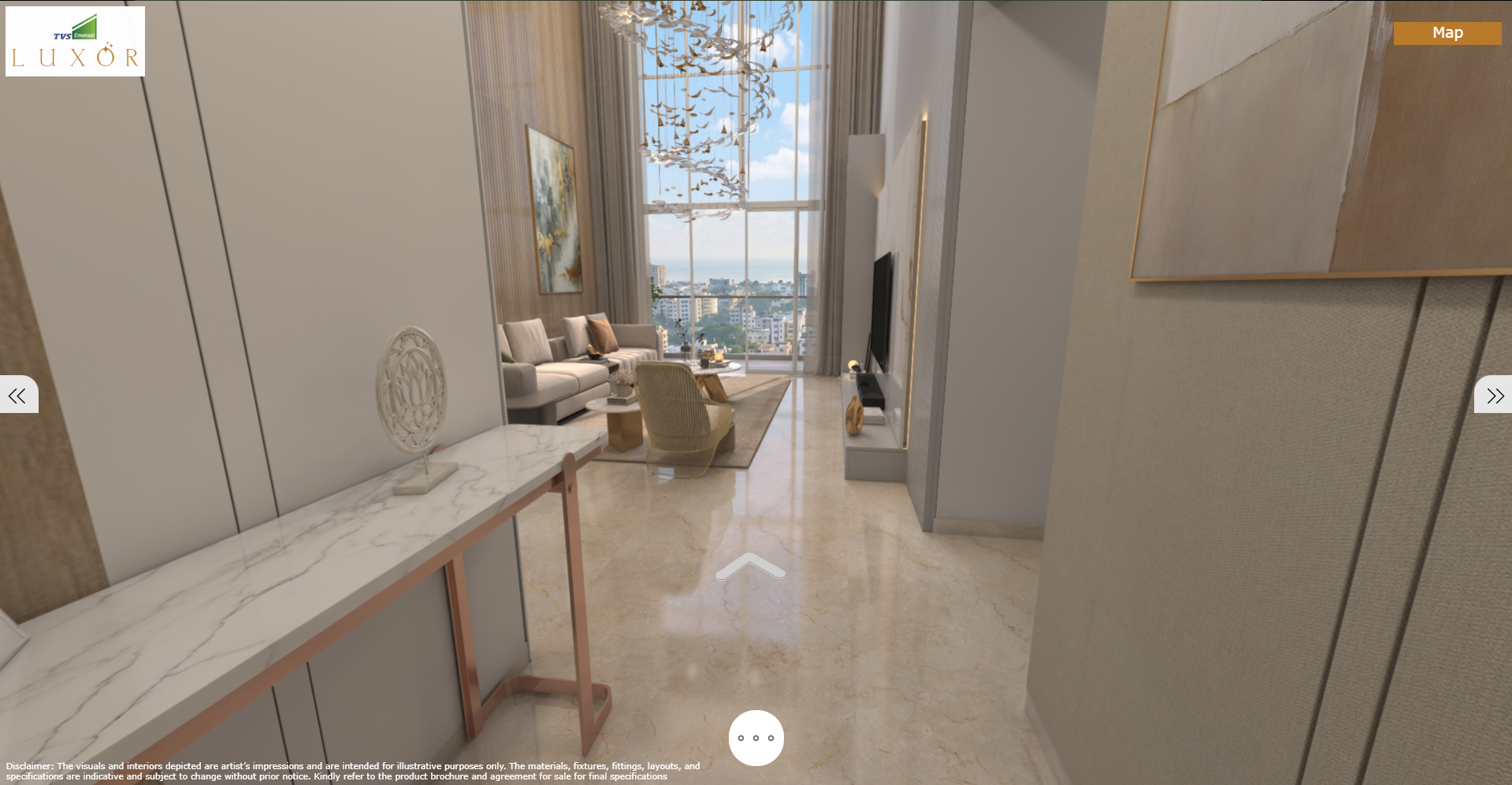
TVS Emerald Luxor, Chennai
Crafted a high-end 3D interactive virtual tour for a luxury villa, highlighting spacious layouts, design details, and overall flow of the home. The experience delivers a refined real estate villa virtual walkthrough, with smooth transitions and a true-to-space feel.
Interactive Tool Types
Property Configurators
Interactive tools allowing prospects to customize apartments, houses, and commercial spaces in real-time.
- Floor plan customization
- Material and finish selection
- Furniture and fixture options
- Pricing calculator integration
Development Visualizers
Comprehensive tools showcasing entire developments with interactive site plans and building selection.
- Interactive site master plans
- Building and unit selection
- Amenity and facility tours
- Phase‑wise development timeline
Design Studios
Advanced design tools allowing clients to experiment with layouts, materials, and styling options.
- Drag‑and‑drop furniture placement
- Color scheme generators
- Lighting scenario testing
- Style preset collections
Sales Presentation Tools
Interactive presentation platforms designed specifically for sales teams and client meetings.
- Guided tour sequences
- Comparison tools
- Lead capture integration
- Offline presentation mode
Client Testimonials
Madhul Rajgore
Head of Marketing
Nahar Group
“Alliance Media Labs worked on the interiors of YUU, Mumbai, delivering a detailed 3D interactive virtual tour that really brought the space together. The overall real estate interior virtual tour felt smooth, well-finished, and true to what we had in mind.”
Kunal Patel
Director
Pragati Group
“Alliance Media Labs developed a seamless 3D interactive virtual tour tool for Pragati Group’s Pune project, making the overall presentation more dynamic and sales-ready. The real estate interactive virtual tour solution fit well with our project requirements.”
Works Everywhere Your Buyers Are
iPad & Tablet
Touch-optimised for sales office kiosks and on-the-go presentations.
Touch Screens
Large-format touch screens at experience centres and site offices.
Web Browser
Embed directly on your project website — no app or download needed.
VR Headsets
Compatible with Oculus, HTC Vive, and Meta Quest for premium experiences.
Where It Works Best
Sales Office Kiosk
A large touch screen in your sales office lets buyers browse all unit types, floor plans, and views interactively — reducing sales staff dependency.
Project Website Embed
Embed the interactive configurator on your project website so buyers can explore online before visiting. Generates 3x more qualified leads.
NRI Buyer Portal
Share a personalised web link with NRI buyers so they can explore and shortlist units from anywhere in the world.
Frequently Asked Questions
How does the interactive 3D unit selector work?
The tool displays a 3D model of your building. Buyers click on any floor or unit to see the floor plan, view direction, area, and pricing. It runs in a browser or on a touch screen — no app required.
Can it be embedded on our project website?
Yes. We deliver a web embed code that can be placed on any website or microsite. Buyers can interact with the tool directly from your site without downloading anything.
Can the content be updated if floor plans or prices change?
Yes. We build the tools with a simple CMS panel so your team can update availability, pricing, and floor plan documents without needing a developer.
Does it work at trade shows or off-site presentations?
Yes. We provide an offline version that runs on a dedicated laptop or tablet — perfect for trade shows, roadshows, and channel partner meetings.
How long does it take to build an interactive 3D tool?
Typically 4–6 weeks depending on the number of towers, unit types, and features required. We provide a preview for approval before final delivery.
What does an interactive 3D tool cost?
Pricing depends on the scope of the project — number of units, towers, and interactive features. Contact our experts for a custom quote.
Interactive 3D Tool Pricing
Every project is custom-built. Pricing depends on the number of units, towers, and interactive features. Contact our experts for a detailed proposal.
Contact Our ExpertsGet Your Interactive 3D Quote
Ready to create engaging interactive experiences? Contact us for a custom quote.
Ready to Engage Your Clients?
Create interactive experiences that convert visitors into buyers with our cutting‑edge 3D tools.